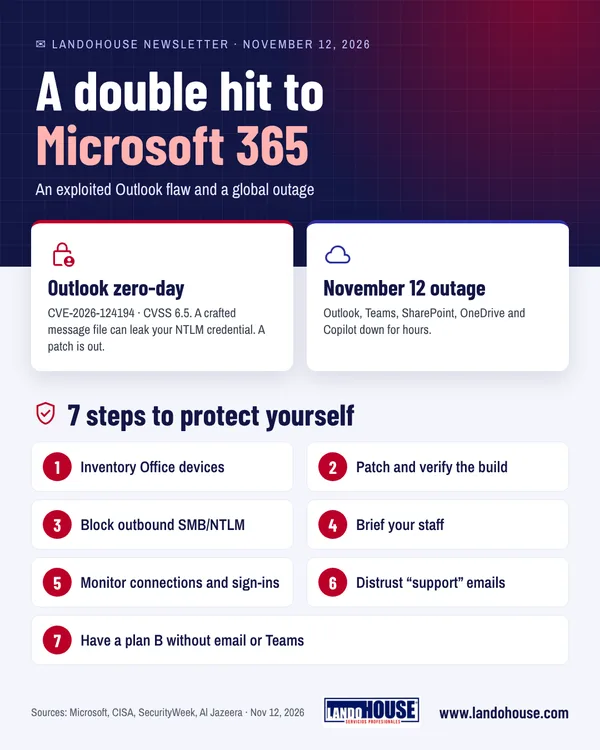
- An Outlook for Windows flaw (CVE-2026-124194) is being actively exploited: opening a crafted message file can leak the user's network credential. A patch is available.
- On November 12, a Microsoft 365 outage left thousands of organizations without Outlook, Teams or Copilot for several hours.
- There is no public indication that the two events are linked.
- In both cases, what protects a business is verified patching and a continuity plan for cloud services.
Introduction
It has been a rough week for Microsoft 365. On November 10, Microsoft patched an Outlook vulnerability that, by the company's own account, is already being used in real attacks. Two days later, on Thursday, November 12, an outage left thousands of organizations without email, Teams or Copilot for several hours.
They are separate events, but the lesson is the same: most businesses rely on a single platform to communicate and work, and they need both to keep it protected and to know how to operate when it fails.
The Outlook flaw (CVE-2026-124194)
- What it is: Microsoft classes it as spoofing, moderate severity, with a CVSS score of 6.5. Outlook fails to warn the user before a potentially unsafe action.
- User interaction required: Microsoft says exploitation requires the user to open the file. The flaw is not triggered simply by previewing the message.
- Affected products: Microsoft 365 Apps for Enterprise, Office LTSC 2021 and Office LTSC 2024, 32- and 64-bit, on Windows.
- Fixed builds: LTSC 2021: 16.0.14334.21048; LTSC 2024: 16.0.17932.21140. For Microsoft 365 Apps, use the Office security release guidance linked in Microsoft's advisory.
- Dates: fixed in the November 10, 2026 security updates. The same day, the US Cybersecurity and Infrastructure Security Agency (CISA) added it to its Known Exploited Vulnerabilities catalog, with a November 24 deadline for federal agencies.
- Unknowns: Microsoft has not said who is exploiting it, against whom or at what scale.
How does the attack work?
- Crafted fileThe attacker sends a specially crafted Outlook message file (.msg).
- LureThey persuade the victim to open it in a vulnerable version of Outlook.
- Silent connectionOutlook connects to an attacker-controlled network location without its usual warning.
- Credential exposedIn the process, the user's NTLMv2 hash may be exposed, which the attacker could use to try to authenticate as the victim.
Why should we pay attention?
This is not a run-of-the-mill phishing email. Simply opening a legitimate-looking file can put Windows authentication data at risk. And although Microsoft rates it "moderate", exploitation is confirmed: patch it as a priority.
The Microsoft 365 outage
- When: reports spiked at around 12:39 p.m. ET on Thursday, November 12.
- What failed: Outlook and Exchange Online, Teams, SharePoint, OneDrive and Microsoft 365 Copilot, among other services.
- Scale: Downdetector logged roughly 130,000 Outlook reports at the peak, falling to about 77,000 by 3 p.m. ET.
- Cause: according to Microsoft, a number of servers became unexpectedly unavailable and strained the rest of its infrastructure; it was not driven by a surge in traffic.
- Status: at the time of writing, Microsoft had not given an estimate for full restoration.
There is no public indication that the outage is linked to the Outlook flaw or that it was an attack.
What it means for your business
Patch deployed is not the same as patched. Deployment consoles usually report that an update was "sent", not that every device runs the right build. With a flaw that is already being exploited, that gap matters.
The credential is the target. This flaw does not install malware: it is after the user's network credential so the attacker can impersonate them. That is why it pays to limit NTLM and monitor sign-ins, not just install the patch.
The cloud goes down too. Moving to Microsoft 365 hands over running the service, not the responsibility for serving your customers. A continuity plan should say what the business does when email and Teams are unavailable.
If your team lost email and Teams for four hours tomorrow, would they know how to reach each other?
"An organization's security does not depend only on protecting the perimeter. We must also protect identities, credentials and every interaction that could become a way in for an attacker. Vulnerability management cannot wait for an incident."
— Ruben Castillo, CAIO · LandoHOUSE
✅ Bonus: 7 steps to protect your business today
The first five steps address the Outlook flaw; the last two, the outage. They are recognized good practices (ISO/IEC 27001, NIST CSF) that also help with future incidents.
- Take inventoryFind every Windows device running Microsoft 365 Apps, Office LTSC 2021 or LTSC 2024.
- Patch and verifyApply Microsoft's November 2026 security updates as soon as possible and check the installed build on each device rather than relying on deployment reports alone. Then keep up continuous vulnerability management and patching, not just reactive fixes.
- Protect credentials and identitiesReview your NTLM authentication policies and restrict NTLM where possible; block outbound SMB (TCP 445) and other unnecessary outbound connections at the firewall, and consider the Protected Users group for privileged accounts. Strengthen identities with multi-factor authentication (MFA) and additional controls such as conditional access. These are general defenses against credential theft, not a Microsoft-published workaround for this flaw.
- Brief your staffAsk people not to open .msg files from unknown or unexpected sources, even if they seem to come from a familiar sender, and to report them to IT.
- MonitorWatch for outbound Outlook connections to unknown hosts and unusual sign-ins. If you suspect exposure, reset the affected account's password.
- Stay sceptical during outagesOutages attract fake "verify your account" or "restore Microsoft 365" emails. Check status only in the Microsoft 365 admin center (Service health) or the official Microsoft 365 Status account.
- Have a plan BSet up an alternate communication channel, an offline contact list and procedures for working without email or Teams. Record today's impact to assess service-level credits and update your continuity plan.
Pro tip
Ask for evidence, not reassurance. Request a report from IT or your provider listing the Office build on each device and the date it was checked. It is the quickest way to know whether you are protected, and exactly what an auditor would ask for.
Also today: Jensen Huang steps down at Nvidia
Nvidia told the US Securities and Exchange Commission (Form 8-K, November 12, 2026) that Jensen Huang has resigned as CEO, effective immediately, after 33 years at the helm. CFO Colette Kress is interim CEO while the board searches for a successor, and Harvey C. Jones becomes the company's first-ever board chair. The filing gives no reason. Third-quarter results remain scheduled for November 17.
Board takeaway: key-person dependency is a technology risk too. If your AI strategy rests on a single vendor, review your continuity plan for that vendor.
Frequently asked questions
What is CVE-2026-124194?
It is a spoofing vulnerability in Outlook for Windows, with a CVSS score of 6.5. If the victim opens a crafted message file, Outlook connects to an attacker-controlled server without warning, which can expose the user's NTLMv2 hash. Microsoft confirms it is being exploited and released a patch on November 10, 2026.
Can previewing an email trigger the attack?
No. According to the advisory, the victim must open the file; the Outlook Preview Pane is not an attack vector.
Which builds are fixed?
Office LTSC 2021 from build 16.0.14334.21048 and Office LTSC 2024 from build 16.0.17932.21140. For Microsoft 365 Apps for Enterprise, check the Office security release guidance linked by Microsoft.
Am I affected on mobile or web Outlook?
Microsoft's advisory covers the Office desktop apps for Windows. Even so, keep every device up to date.
Was the Microsoft 365 outage a cyberattack?
Microsoft attributed it to servers becoming unexpectedly unavailable. There is no public sign of an attack or of a link to the Outlook flaw.
Is installing the patch enough?
Install it and confirm the build on every device. Restricting NTLM, blocking unnecessary outbound connections, strengthening identities with MFA and monitoring sign-ins reduce the risk from similar flaws in future.
Is this ordinary phishing?
Not quite. Being wary of links is not enough: opening a legitimate-looking .msg file in a vulnerable version of Outlook can expose the user's Windows NTLMv2 hash.
Do you know whether your organization is protected?
We help you verify patching, harden authentication and build a continuity plan for Microsoft 365, with a security lead who answers to management.
Sources and fact-checking
LandoHOUSE editorial newsletter based on Cybersecurity News and Mashable, and checked against:
- Cybersecurity News — Active exploitation of Outlook 0-day vulnerability (12/11/2026)
- SecurityWeek — Exploited Outlook zero-day among 1,094 flaws patched by Microsoft (11/2026)
- Suped — Microsoft patches actively exploited Outlook desktop flaw CVE-2026-124194 (10/11/2026)
- SecNews — CVE-2026-124194: active exploit in Outlook exposes NTLMv2 hash
- Al Jazeera — Microsoft outage hits tens of thousands of users (12/11/2026)
- Variety — Outlook outage: Microsoft's email service goes down (12/11/2026)
- XDA Developers — Microsoft is suffering a major outage (12/11/2026)
- Mashable — Microsoft outage affecting 365, Teams, Outlook and Copilot (12/11/2026)
- NVIDIA — Form 8-K ante la SEC: NVIDIA Announces CEO Transition (12/11/2026)
Mashable could not be accessed directly; outage details were confirmed with Al Jazeera, Variety and XDA Developers. The Nvidia news was verified in the Form 8-K filed with the SEC. Downdetector figures are user reports, not affected users. For information only; not a substitute for technical advice on your environment.